


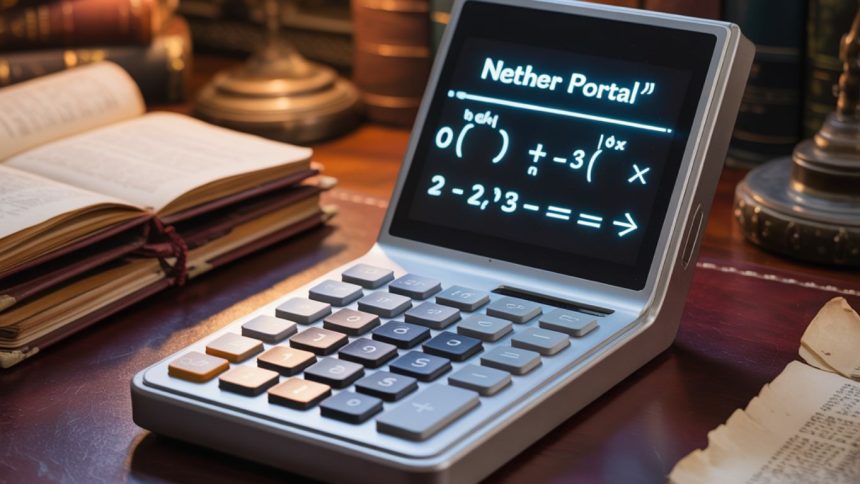
Have you ever felt lost in the sprawling worlds of Minecraft, especially when trying to navigate between the Overworld and the Nether? You’re not alone. Enter the Nether Portal Calculator — a nifty tool that can save you time, frustration, and even your favorite enchanted pickaxe. But what exactly is it, and why do players swear by it? Let’s take a journey (no portal required) to break it all down in a simple, engaging way.
What Is a Nether Portal in Minecraft?
Let’s start at the very beginning. In Minecraft, a Nether Portal is a magical-looking frame made from obsidian blocks. When activated with a flint and steel, it opens a glowing purple gateway. Step through, and you’re instantly transported from the peaceful landscapes of the Overworld to the fiery, perilous depths of the Nether — a realm teeming with danger and mystery.
The Nether isn’t just for thrill-seekers. It’s a critical part of the game where players can find unique resources like Nether quartz, soul sand, and blaze rods. It’s also a shortcut across the Minecraft world—if you know how to use it right.
Why Use a Nether Portal Calculator?
Here’s where things get interesting. Time and distance bend in strange ways within the Nether, where the rules of travel don’t quite match the Overworld.
. For every one block you travel in the Nether, it’s like moving eight blocks in the Overworld. Think of it as Minecraft’s version of a wormhole.
If you just build portals without calculating the right coordinates, you might end up in the middle of an ocean—or worse, a lava pool! A Nether Portal Calculator ensures that your portals link up correctly, saving you from long walks or dangerous surprises.
Understanding How the Dimensions Work


You can think of the Nether and Overworld as two sides of the same coin. Even though they’re different worlds, they’re connected by coordinate scaling:
-
Every step in the Nether covers eight times the ground you’d walk in the Overworld.
-
1 block in the Overworld = 0.125 blocks in the Nether
This scale factor means you can fast-travel using portals, but only if they’re placed correctly. That’s why understanding this ratio is crucial.
How a Nether Portal Calculator Works
The calculator does all the math for you. All you have to do is plug in the coordinates from one dimension, and it tells you exactly where to build the portal in the other. Here’s a simplified step-by-step example:
-
Start by noting your Overworld position — for example, coordinates X: 400 and Z: 800.
-
Divide those numbers by 8 — 400 ÷ 8 = 50, and 800 ÷ 8 = 100.
-
Build a portal in the Nether at X: 50, Z: 100.
The calculator does this instantly, reducing errors and saving you the trouble of pulling out a pen and paper.
When Should You Use a Nether Portal Calculator?
You might not need it every time, especially if you’re just playing casually. But there are several situations where it becomes a game-changer:
-
Fast travel between distant bases
-
Finding rare biomes quickly
-
Mining resources in less explored chunks
-
Linking portals for multiplayer coordination
-
Speedrunning and efficient route planning
If you’ve ever walked 2,000 blocks just to get home, you’ll understand the value.
The Right Way to Link Portals
Just building two portals and hoping they connect doesn’t always work. Minecraft uses specific rules to link portals:
-
It looks for an existing portal within 128 blocks (in Overworld terms).
-
If it finds one, it links you there.
-
If not, it creates a new portal close to your expected destination.
A calculator ensures your coordinates fall within the correct range to force the correct linkage.
How to Use the Calculator Step-by-Step

Here’s a user-friendly walkthrough:
-
Choose your starting dimension (Overworld or Nether).
-
Enter your current coordinates (X, Y, Z).
-
Hit “calculate,” and the tool instantly reveals the matching coordinates in the opposite dimension.
-
Travel to those coordinates and build your new portal.
-
Light the portal and test it!
It’s as easy as ordering food online—and less risky than ending up in a blaze-infested fortress.
The Role of Y-Coordinates in Portals
While X and Z determine where your portal opens horizontally, the Y (height) is also important. Ideally, both portals should be built at similar Y-levels (within about 15 blocks) to ensure proper syncing.
For example:
-
Building one portal at Y: 70 and another at Y: 120 can sometimes result in mismatched links.
-
Keep Y-values consistent to improve accuracy.
So yes, vertical alignment matters more than you might think!
Best Tools and Websites for Nether Portal Calculations
There are several great online tools and even in-game mods that serve this purpose. Some popular options include:
-
Donat Studios’ Nether Calculator
-
Minecraft.Tools Coordinate Calculator
-
Chunkbase Portal Calculator
-
Mods like Xaero’s Minimap with portal features
Most are free, simple to use, and mobile-friendly. You can even bookmark them for quick access while playing.
Common Mistakes to Avoid
Even with a calculator, things can go wrong if you’re not careful. Here are some frequent pitfalls:
-
Recording coordinates even slightly off from the portal’s exact center can throw off the entire link.
-
Forgetting to divide or multiply coordinates properly.
-
Building too close to other portals, which can confuse the game’s logic.
-
Ignoring the vertical Y-value, causing mislinked portals.
-
Using broken tools or unsafe areas in the Nether, risking damage or death.
Stay alert and double-check before lighting that purple frame!
Advanced Uses for Experienced Players
Seasoned Minecraft players use Nether Portal Calculators in clever ways:
-
Creating Nether Hubs: Central stations in the Nether that link to multiple Overworld bases.
-
Biome hunting: Jump into distant terrain quickly to find biomes like jungles or ice spikes.
-
Villager transport: Portals make it easier to move villagers without dangerous minecart rides.
-
Efficient nether travel highways: Building tunnels at Y: 120 avoids lava lakes and makes for smoother navigation.
The more you play, the more you’ll find uses for it.
Think of It Like a GPS for Minecraft
Picture searching for a friend’s home in the real world without the help of GPS or maps.
. Sure, you could get there eventually, but a GPS gets you there faster and with less headache. That’s what a Nether Portal Calculator does — it’s your digital compass in a pixelated universe.
FAQs About Nether Portal Calculators
1. Can I build a Nether portal anywhere and still use the calculator?
Yes, but for accurate linkage, use the exact coordinates where your Overworld portal is placed and adjust using the calculator before building in the Nether.
2. Why does my portal take me to a different place when I go back?
Your return portal may not be synced properly. Double-check your coordinates and make sure portals are within the correct radius of each other.
3. Do I need to calculate coordinates manually every time?
Nope! That’s the beauty of a Nether Portal Calculator — it does all the math for you instantly and accurately.
4. Does elevation (Y-coordinate) really matter?
Yes. Significant differences in Y-levels between portals can prevent correct linking. Try to keep both portals at similar heights.
5. Can multiple portals share the same Nether location?
If they’re close enough in the Overworld, they might all connect to one Nether portal. This is why spacing and careful planning are key.
Conclusion: Travel Smart, Build Smarter
Minecraft is all about creativity and exploration, but even adventurers need a plan. A Nether Portal Calculator isn’t just a convenience—it’s a tool that enhances your experience, saves time, and helps you get the most out of your builds.
So next time you’re gearing up for another trip to the Nether, remember this guide, pull out your calculator, and build like a pro. Safe travels, miner!


Мережевий простір України отримав свіжий тематичний проєкт — каталог веб-сайтів, створений для агрегації різнопланові українські сайти.
Цей інтернет-майданчик містить адреси веб-сторінок, що розкривають найрізноманітнішу тематику. Каталог включає сайти загальнодержавного значення, а також ті, що концентруються на житті окремих регіонів та міст.
Головне завдання проєкту — створити зручну точку входу для інтернет-аудиторії, які потребують актуальні місцеві медіа на будь-який смак: починаючи від оперативних зведень і політикуму до матеріалів з історії, молодіжної тематики, стилю життя, правозахисної тематики та аналітики.
Представлений навігатор розрахований на масового відвідувача та запрошує до партнерства з медіа, журналістами та компаніями, що прагнуть реклами, які хочуть виділятися в вітчизняному медіа-середовищі